

A mountain can dominate a picture or almost disappear inside it. In these three woodblock prints, Katsushika Hokusai gives Mount Fuji a different place in the frame. Look for the mountain first. Then notice where your eye goes next.
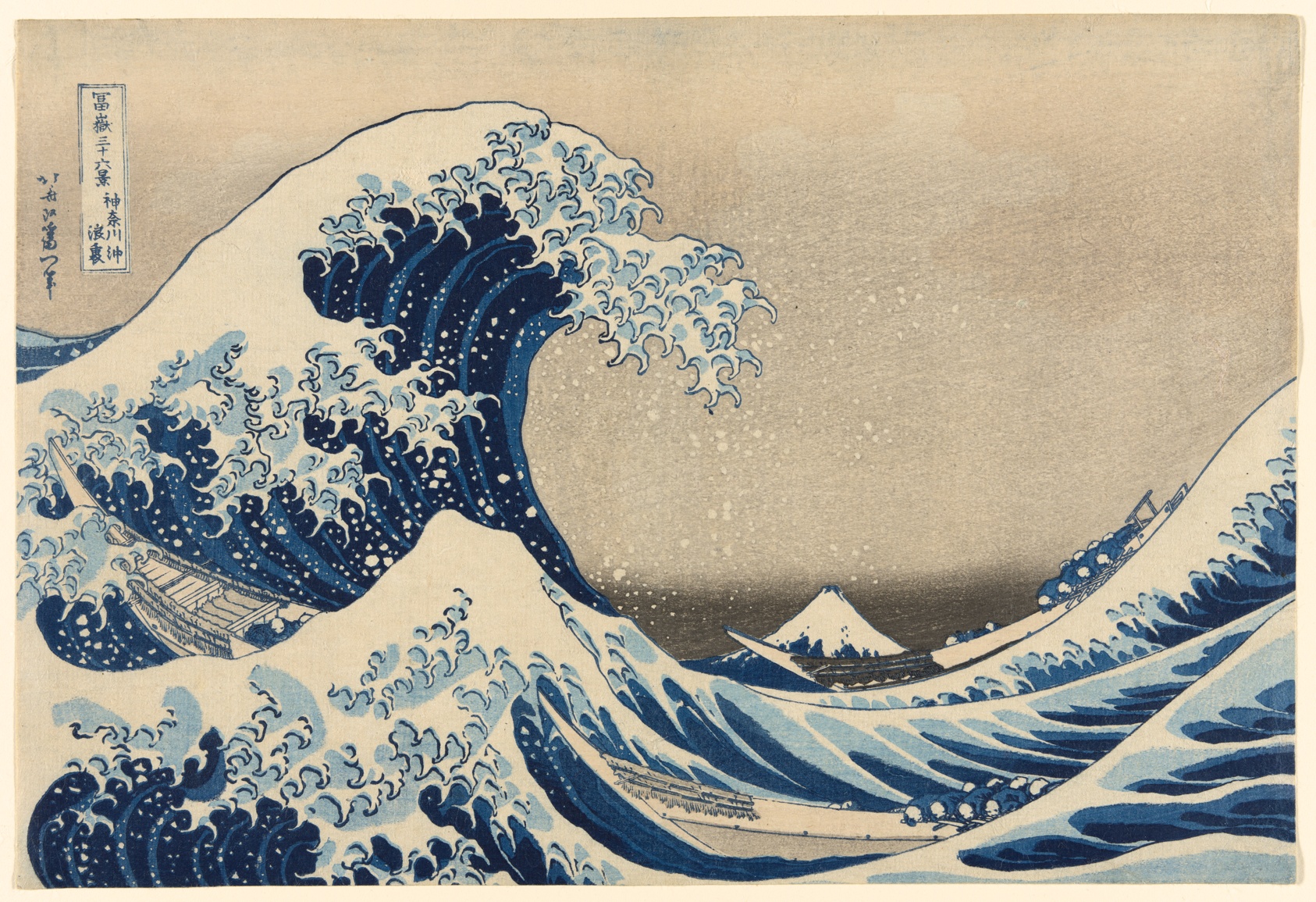
The wave catches your attention; the mountain waits beneath its curve. Open the print and zoom in to follow the outlines of the boats and the foam.
Open any print to move through the gallery. Compare the size of the mountain, the shape of the sky, and the activity in the foreground.
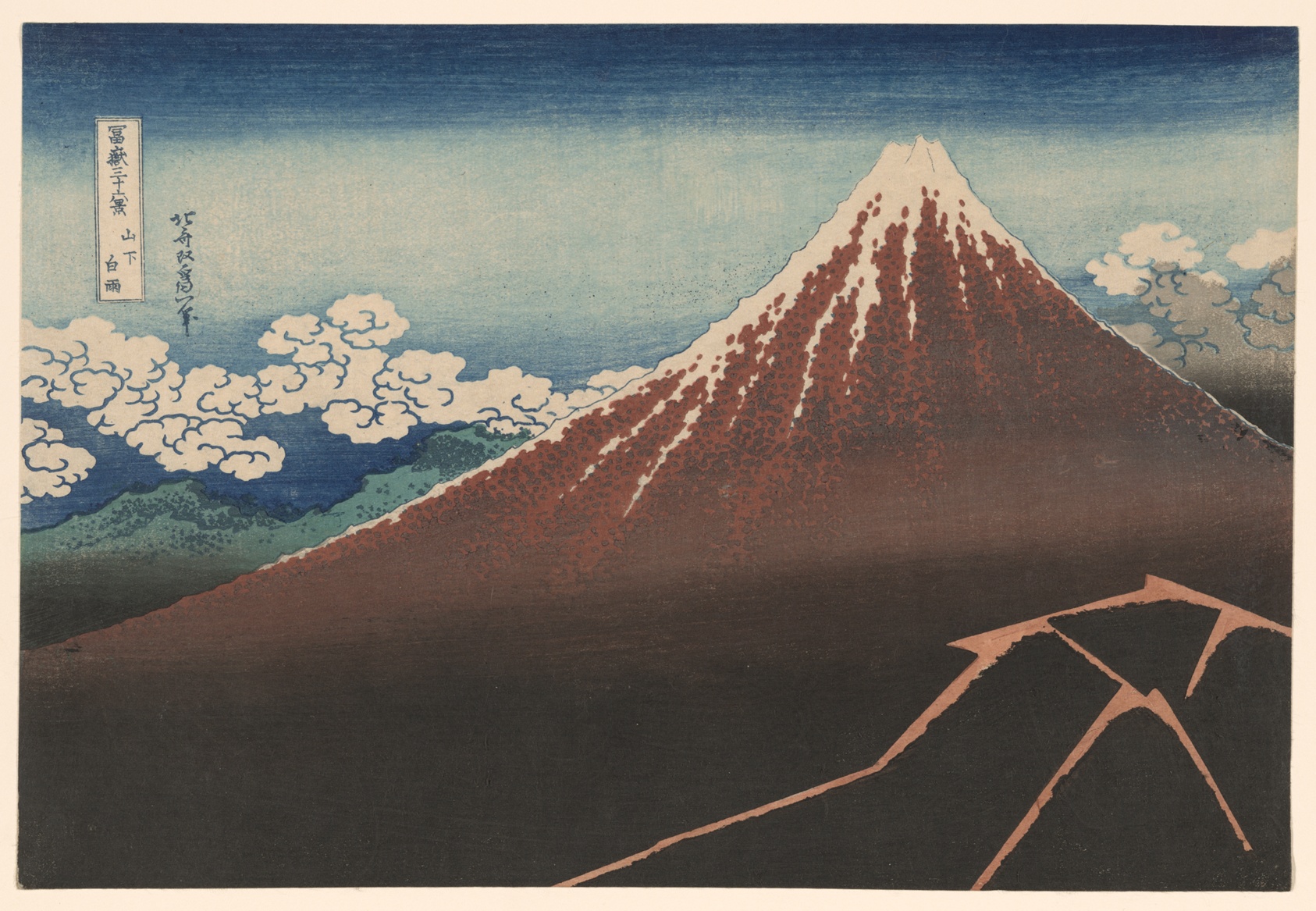
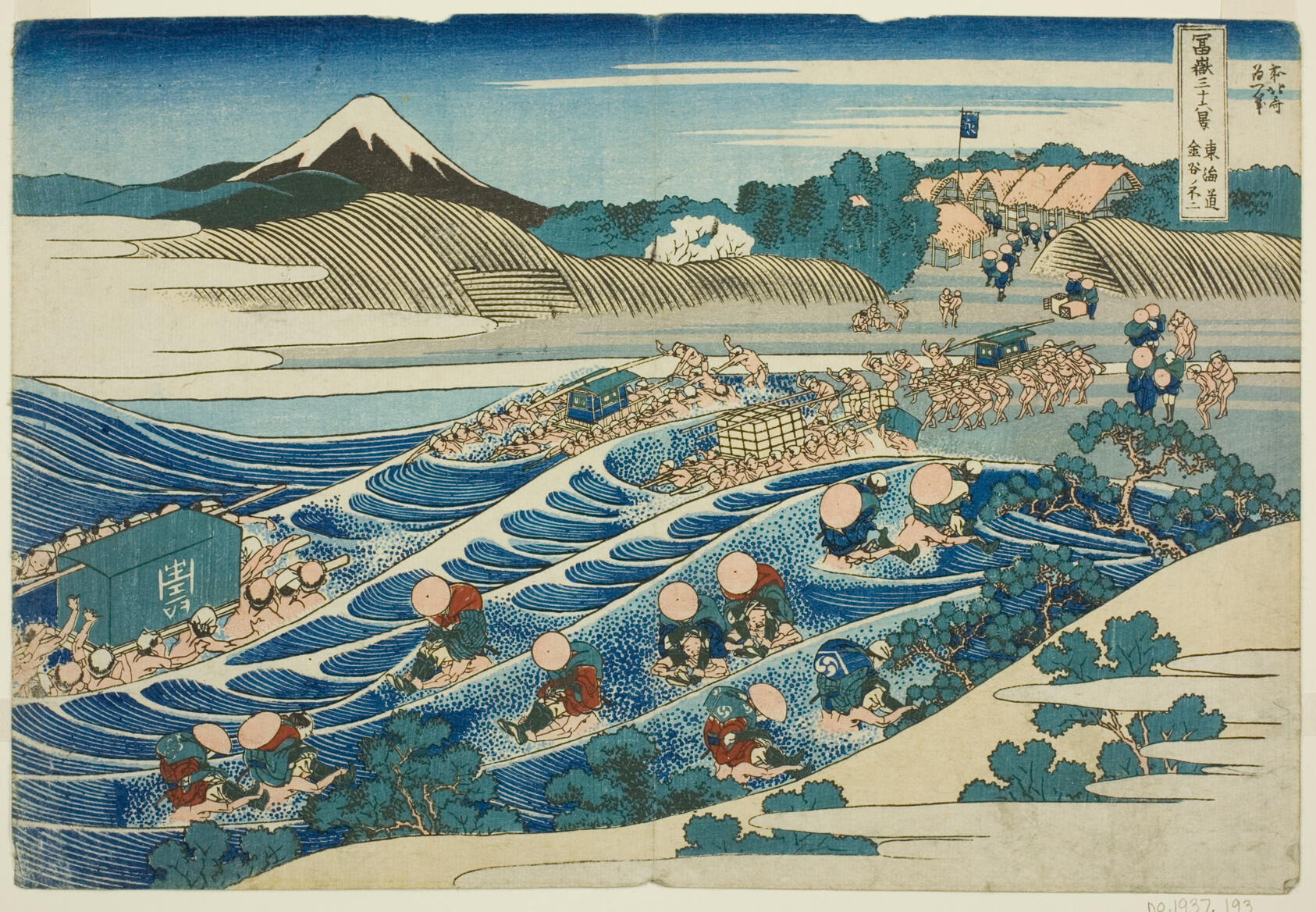
Look again: which print makes the mountain feel largest? Is it only the amount of space it occupies, or do the surrounding shapes help?
See the gallery markup
A data-pmx-gallery wrapper groups ordinary images in authored order. Each
figcaption follows its image into the viewer. CSS supplies the grid.
<div data-pmx-gallery class="print-gallery">
<figure>

<figcaption>The Great Wave</figcaption>
</figure>
<figure>

<figcaption>Shower Below the Summit</figcaption>
</figure>
<figure>

<figcaption>Fuji from Kanaya</figcaption>
</figure>
</div>
.print-gallery {
  display: grid;
  grid-template-columns: repeat(auto-fit, minmax(min(100%, 12rem), 1fr));
  gap: 1.5rem;
}
.print-gallery figure { margin: 0; }
This page also uses ar="3/2" fit=contain to align the previews and sizes to
describe their grid slots. Those are presentation choices; the wrapper alone
provides gallery behavior.
These three frames use the same file. The first keeps the complete print inside a portrait-shaped box. The others fill that box and choose which edge to keep.
fit=contain
fit=cover position=left
fit=cover position=rightOpen any frame: the viewer restores the complete composition. The crop belongs to the image's presentation on this page; the original stays intact.
See the crop markup



width sets the display width; ar sets the box's aspect ratio. fit decides
whether to contain or crop, and position decides which part stays in view.
.lightbox adds full-size inspection to a standalone image.
Choose a print and imagine it as the cover of a small exhibition booklet. Which detail would you keep? Which would you be willing to lose?
Change a position or ar value in this page's source, then open the result to
compare it with the full print. You can also follow this lesson in Focus or Slides;
opening a print keeps your place in the lesson.
All three works are by Katsushika Hokusai, from Thirty-Six Views of Mount Fuji. The images are public-domain reproductions from the Art Institute of Chicago's Clarence Buckingham Collection, saved locally so this example also demonstrates automatic responsive image generation.
- The Great Wave, 1830–33.
- Shower Below the Summit, about 1830–33.
- Fuji from Kanaya on the Tokaido, about 1830–32.